
If your Android phone shows a notification dot each time the teleCalm Caregiver app updates the call history, follow these steps to disable it. You can watch this video to walk you through the process.
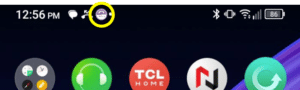
Note: These steps apply to most Android devices running Android 8.0 (Oreo) or later. To turn off the notification dot:
Note: These steps apply to most Android devices running Android 8.0 (Oreo) or later. To turn off the notification dot:
-
- Tap and hold the teleCalm Caregiver app icon, then select App info.
- On the info screen, tap Notifications. (Wording may vary by Android model)
- On the Notifications screen, turn off Miscellaneous and Allow Notification dot.