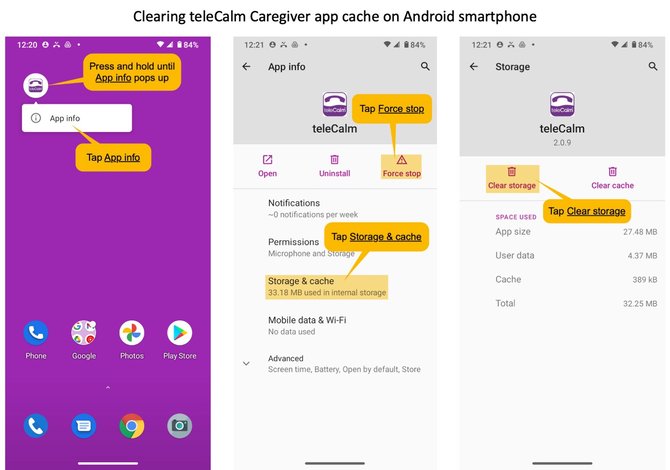
Follow the steps below to clear all Caregiver app data and return the app to a clean state. You can also clear app data before uninstalling to ensure all cached files associated with the Caregiver app are removed prior to reinstalling.
Your contacts, call history, and voicemails are stored securely on our servers and will not be affected by clearing app data.
- On your Android device, open the Settings app.
- Tap Apps (or Application Manager, depending on your device).
- Scroll to and tap Caregiver.
- Tap Storage.
- Tap Clear Data and confirm when prompted.
- Reopen the Caregiver app to complete the fresh setup.