How do I complete a teleCalm AdobeSign form?
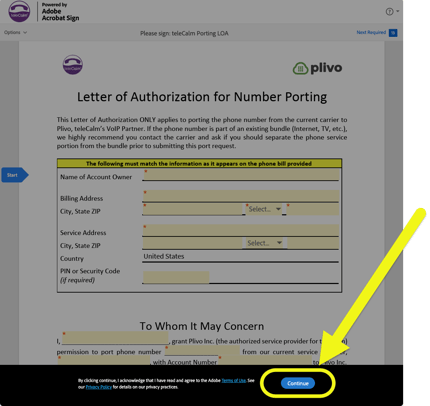
For our LOA, Porting Document, and Priority Response Agreements, teleCalm uses AdobeSign to ensure secure and compliant processing. To complete any of these forms, accept AdobeSign's terms, fill in all required fields, sign digitally, and submit — you will then receive a copy by email.
Steps to fill out a teleCalm AdobeSign form
- Scroll to the bottom of the page and click the Continue button to accept AdobeSign's terms and conditions. This step activates the fillable sections of the form — if it is skipped, the form fields will remain locked and you will be unable to enter your information.
- Complete all required fields in the form with accurate information.
- Follow the prompts to digitally sign the document using AdobeSign's secure signing process.
- Once your form is submitted, you will automatically receive a copy of the completed document by email for your records. The teleCalm team will then review your submission and begin processing your request promptly.